An in-depth guide on how to fix DSTV Error E48-32 No Signal
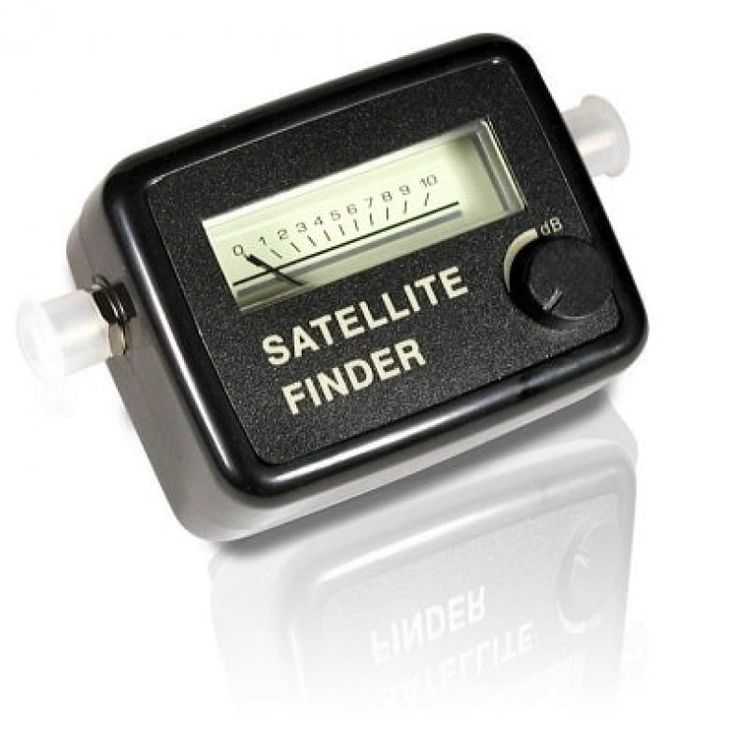
Trying to fix DSTV Error E48-32 No Signal yourself? It’s easier than you may think. You’re probably here because you have turned on your DSTV and been greeted by the dreaded E48-32 no signal error. This common issue usually points to a signal problem, but don’t worry—there are steps you can take to resolve it. In this guide, we’ll explain what causes the E48-32 error, and walk you through how to fix DSTV error E48-32 error yourself before calling in the professionals.
Whether you’re a DIY enthusiast or just want to save time and money, this guide is packed with simple solutions. Read on to learn more.
What Does the E48-32 Error Mean?

Before diving into how to fix DSTV error E48-32 yourself, it’s important to understand what it means and the common reasons behind the error. The E48-32 error is specifically related to your satellite dish signal reception problems. When your DSTV decoder shows the E48-32 error code, it means the signal from your satellite dish is either weak or not available. This can be caused by weather conditions, faulty LNB, dish misalignment, or cabling issues. The error indicates that the decoder cannot pick up a strong enough signal from the satellite dish to broadcast TV channels properly, leading to a loss of picture or poor reception on your TV.
This error is usually accompanied by a “E48-32 No Signal” message on your TV screen, which can be frustrating, especially when it disrupts your favorite shows or live events. The error is frustrating, but it’s often a sign of a fixable problem. Understanding the cause is the first step toward understanding how to fix DSTV Error E48-32 No Signal yourself.
Common Causes of an E48-32 Error
The E48-32 no signal error is specifically related to signal reception problems, which can happen due to:
- Adverse weather conditions: Storms, heavy rain, or strong winds can interfere with satellite signals, temporarily leading to a weak or lost connection between the dish and the decoder.
- Dish misalignment: If the satellite dish is knocked out of position—whether by strong winds, debris, or a physical bump—it may no longer point at the satellite, causing a signal loss.
- Cable issues: Loose, damaged, or disconnected cables, especially the LNB cable (the white cable that connects the satellite dish to the decoder), can interrupt the signal. Over time, the LNB cable cracks and peels off due to exposure to weather.
- Malfunctioning LNB: The LNB (Low-Noise Block) is a key component of your satellite dish that receives the satellite signal and transmits it to the decoder. If the LNB is faulty, it can prevent the decoder from receiving any signal, even if the dish is properly aligned.
- Decoder malfunctions: Occasionally, the decoder itself may experience software or hardware glitches, requiring a soft or hard reboot to restore proper signal reception.
The good news is that, regardless of the cause, you can often fix DSTV error E48-32 yourself by following these easy steps:
- Check the weather conditions
- Inspect your cables
- Perform a soft reboot of the decoder
- Perform a hard reboot of the decoder
- Check for satellite dish misalignment
Step-by-Step Guide: How to Fix the E48-32 Error on DSTV Yourself
1. Check the Weather Conditions
Before attempting any technical fixes, check if the weather is affecting your signal. Storms, heavy rain, or strong winds can cause temporary signal interruptions. In such cases, the best course of action is to wait until the weather clears.
However, if the issue persists after the weather improves, it’s time to move on to the next steps.
2. Inspect Your Cables
Loose or damaged cables are one of the most common causes of the E48-32 error code. Follow these steps to inspect your cables:
- Locate the LNB cable (the white cable connecting your satellite dish to the back of your decoder).
- Unscrew the LNB cable from the decoder and check the connector for any visible damage or dirt. If everything looks fine, screw it back on tightly.
- Inspect other cables connecting your decoder to the TV, ensuring they are securely plugged in.
Fixing cable connections often resolves the problem, but if the error persists, move on to rebooting the decoder.
3. Perform a Soft Reboot of the Decoder
Sometimes, the decoder simply needs a refresh. A soft reboot can often resolve minor software glitches, including signal errors. Here’s how to do it:
- On your DSTV remote, long-press the power button until the decoder switches off.
- Wait for a few seconds, then press the power button again to turn it back on.
Once the decoder reboots, check if the error code has cleared. If not, try a hard reboot.
4. Perform a Hard Reboot of the Decoder
A hard reboot can help resolve more persistent issues. This method cuts power to the decoder and forces it to restart fully:
- Unplug the power supply cable from the back of the decoder.
- Wait 30 seconds before plugging it back in.
- Power the decoder back on and check if the signal is restored.
If the hard reboot doesn’t resolve the issue, you may be dealing with a satellite dish or alignment problem.
5. Check Your Satellite Dish for Misalignment
A misaligned dish is another common cause of the E48-32 error. A strong wind or accidental bump may have moved the dish, causing it to lose the signal.
- Visually inspect the satellite dish to ensure it’s still aligned toward the sky.
- If the dish appears to have shifted, you can try gently moving it back into position. However, adjusting the dish can be tricky, so it’s best to contact a professional installer to realign it.
When to Call a Professional DSTV Installer
If you’ve tried the steps above and the E48-32 error still persists, it’s time to call in a professional. There could be more complex issues at play, such as damaged internal components or severe dish misalignment.
At Keystone Systems, our experienced DSTV installers in Gauteng specialize in diagnosing and fixing signal issues like the E48-32 error. We offer fast, affordable service to ensure you get back to watching your favorite shows with minimal downtime.
Contact us today for professional assistance if:
- Your cables are intact but you still see the error.
- You’re uncomfortable adjusting your satellite dish.
- You’ve tried rebooting the decoder without success.
For expert service, book a call-out with Keystone Systems.
Preventing the E48-32 Error in the Future
Prevention is better than cure! To avoid running into the E48-32 error repeatedly, here are a few maintenance tips:
- Secure Your Dish: Ensure your satellite dish is firmly mounted to prevent wind or accidental movement.
- Check Cables Regularly: Inspect your cables for any signs of wear and tear, replacing them if needed.
- Perform Routine Reboots: Every now and then, perform a soft reboot of your decoder to clear any minor software glitches.
DSTV E48-32 No Signal vs. No Signal from Video Source: What’s the Difference?
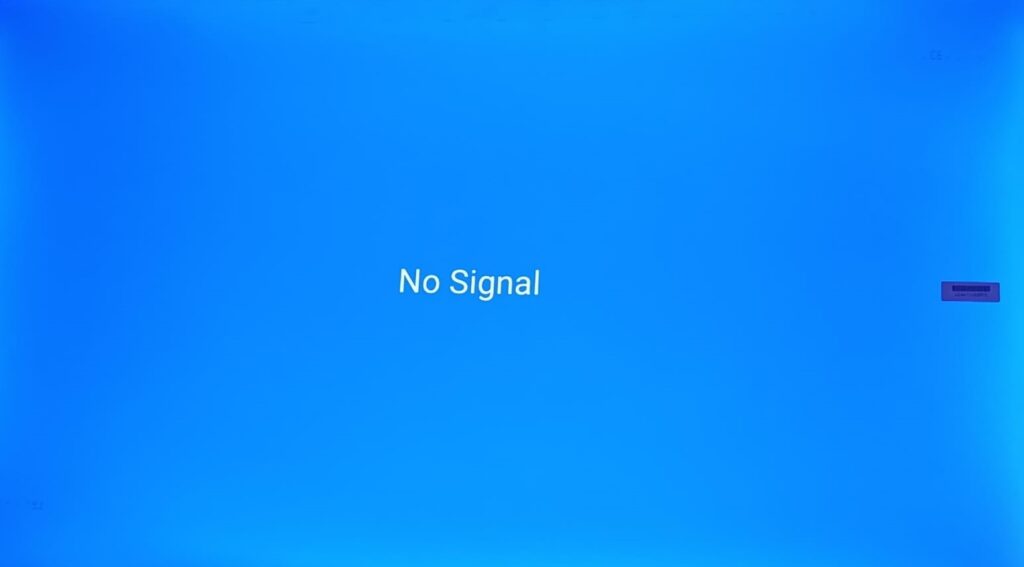
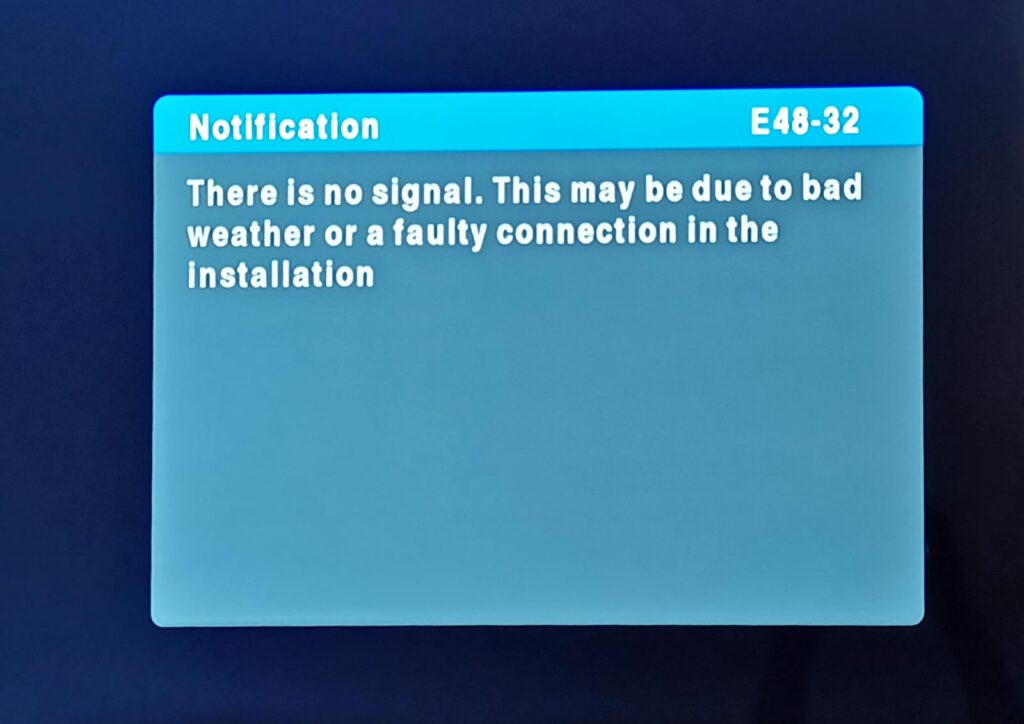
A lot of times, people confuse the ‘No Signal’ error from the TV with the ‘E48-32 No Signal Error. It’s important to understand that there is a difference between the E48-32 no signal error and a no video source signal error, as they stem from different problems. While both might prevent you from watching TV, the way you fix them differs.
E48-32 No Signal Error
The E48-32 error specifically relates to a satellite signal issue. It indicates that your DSTV decoder is not receiving a proper signal from your satellite dish. This is why you may see the message “No Signal” on your screen.
The E48-32 error code is displayed prominently on the screen, setting it apart from other potential problems. It’s the decoder’s way of letting you know it cannot get a strong enough signal to broadcast TV channels.
No Video Source Signal
A no signal error causes by loss of video signal, on the other hand, typically occurs when your TV is not receiving a signal from the decoder, DVD player or anything else connected to your TV. This could be due to:
- The wrong input source on your TV (e.g., your TV is set to HDMI 2 instead of HDMI 1, where your decoder is connected).
- Loose or faulty HDMI cables between the decoder and the TV.
- A TV setting issue rather than a satellite signal problem.
Your TV usually has multiple input options, like:
- HDMI 1, HDMI 2: Used for high-quality devices like your DSTV decoder or gaming console.
- AV or RCA: Older connectors used for DVD players or older devices.
- USB: If you’re watching something from a USB flash drive.
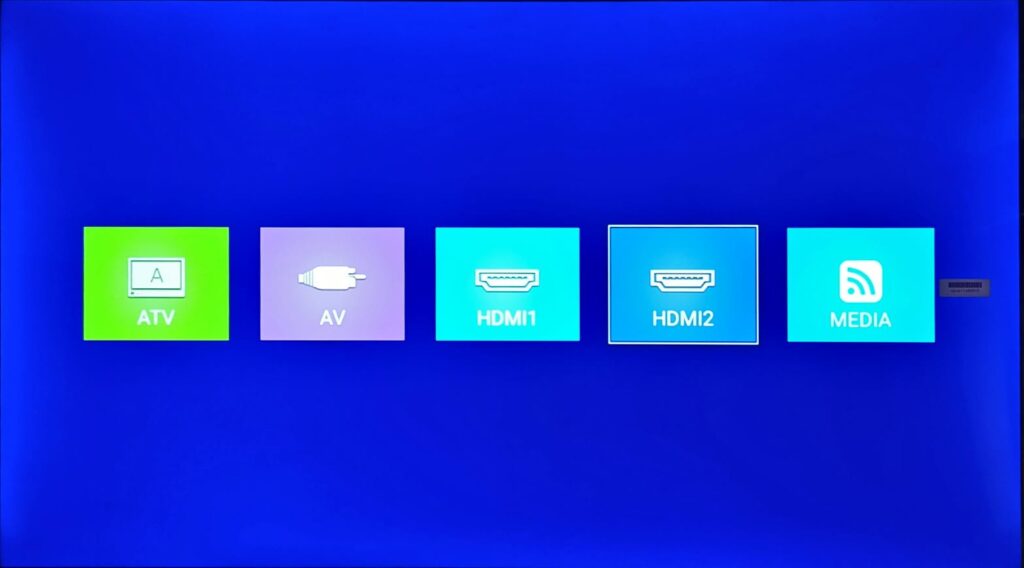
To get your TV to display what’s coming from your DSTV decoder, for example, you need to make sure it’s set to the correct input (like HDMI 1 if that’s where your decoder is plugged in). If it’s set to the wrong source (like HDMI 2 or AV), you’ll see a “no signal” message, even though your DSTV decoder might be working fine.
You can change the input by using the Source or Input button on your TV remote
How to Confirm It’s a Satellite Signal Problem (E48-32) and Not a Video Source Issue
If you’re unsure whether you’re dealing with an E48-32 error or a simple video source issue, here are steps you can follow to confirm it’s a satellite signal problem:
- Check for the E48-32 Error Code
The E48-32 error code message will always appear on the screen when the decoder has a signal issue. If you see this specific code, it’s related to the satellite signal. If no error code appears but you see a black or blue screen with “no signal”; “weak or no signal” or “no video source,” it’s likely an input/source problem on your TV. - Verify Your TV’s Input Source
Use your TV remote to toggle between input sources (HDMI 1, HDMI 2, AV, etc.). If switching the input brings up your DSTV channels, the issue was related to the wrong input source. If the correct input is selected and you still see the E48-32 error, it’s a signal issue. - Check the Cables
If you’re not seeing the E48-32 code but still can’t get a picture, check the HDMI or AV cables connecting the decoder to your TV. Ensure they are plugged in securely, and if possible, test with a different cable to rule out damage.
What Sets the E48-32 Error Apart
What distinguishes the E48-32 error from other signal issues is that it’s specific to DSTV decoders and satellite dish signal reception. The clear error code, which typically starts with an ‘E’ tells you exactly what the problem is—your decoder isn’t receiving a signal from the satellite dish. This directs your troubleshooting efforts toward the satellite dish, cabling, and decoder settings, saving you time and effort when compared to general “no signal” issues, which could involve the TV or external connections.
If you’ve confirmed that the issue is an E48-32 error, follow our earlier steps to fix it. But if you’re still having trouble, don’t hesitate to contact Keystone Systems for professional assistance.
Frequently Asked Questions (FAQ)
Q: Can I get an E48-32 error even if there is no bad weather?
Yes! Bad weather is not the only cause of loss of signal from your satellite dish. You could also lose signal because of a faulty cable, a faulty LNB or loose dish.
Q: What should I do if my decoder continues to show the E48-32 error?
If the error persists after trying the fixes outlined here, it may indicate a more serious issue that requires professional assistance. Contact Keystone Systems for expert help with diagnosing and repairing persistent no signal problems.
Q: Will bad weather always cause the E48-32 error?
Not always, but bad weather like heavy rain or strong winds can temporarily interfere with your DSTV signal, leading to the error. Once the weather clears, your signal should return to normal.
Q: Can the E48 error code be cleared over the phone
This depends on the cause of the error. If it is a problem with installation components, such as the dish or LNB, a technician cannot likely help you over the phone. In some instances however, the technician can help you reset the decoder, perform a soft or hard reboot or rescan the decoder over the pone, which sometimes resolves the problem.
For more answers, visit our FAQ page or give us a call!
Contact Keystone Systems for Expert E48-23 No Signal Repairs
If you’re still experiencing the E48-32 error after trying these solutions, it’s time to call in the experts. At Keystone Systems, we offer professional, same-day support for all your DSTV installation and repair needs throughout Gauteng. Let us take care of your signal issues quickly and efficiently, so you can get back to enjoying your shows.
Book a service today with our reliable DSTV installers, or give us a call for immediate assistance.
Pingback: Why Choose Keystone Systems Dstv Installers in Meyerton